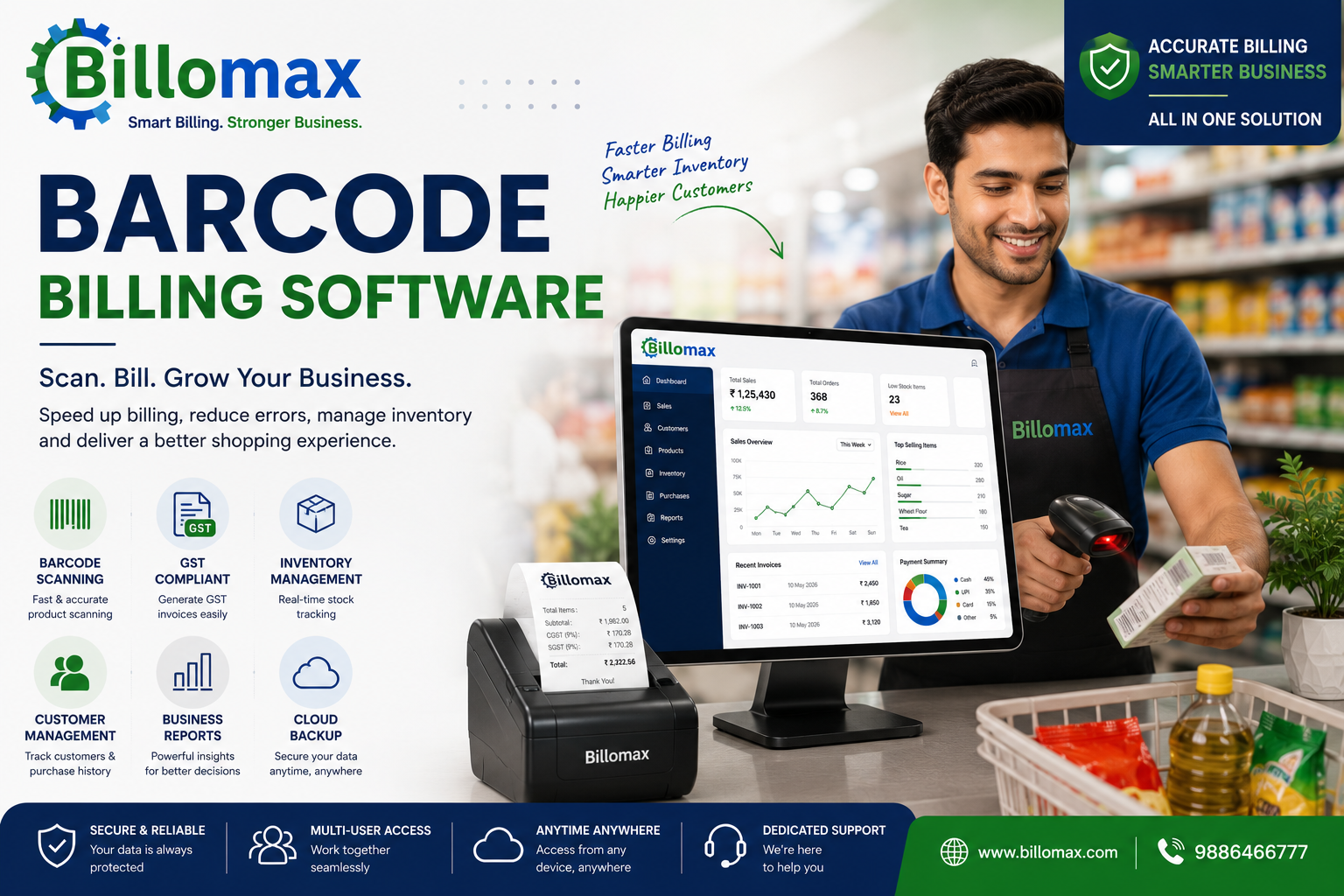
Barcode Billing Software for Faster & Smarter Business Billing
Running a modern business requires speed, accuracy, and efficiency. Customers expect quick checkout experiences, while business owners need accurate inventory tracking and error-free billing. Manual billing methods often slow down operations and increase the chances of mistakes.
This is where Barcode Billing Software transforms the way businesses operate. By combining barcode scanning, automated invoicing, inventory management, and GST billing, businesses can improve productivity while delivering a seamless customer experience.
Whether you own a retail store, supermarket, pharmacy, restaurant, wholesale business, or electronics showroom, barcode billing software can simplify your daily operations and help your business grow.
Table of Contents
- What is Barcode Billing Software?
- Why Businesses Need Barcode Billing Software
- Benefits of Barcode Billing Software
- Key Features
- Barcode Billing Software vs Manual Billing
- Industries That Benefit
- How to Choose the Right Barcode Billing Software
- Why Businesses Choose Billomax
- Best Practices
- Conclusion
- Frequently Asked Questions
What is Barcode Billing Software?
Barcode Billing Software is a business management solution that uses barcode scanners to instantly identify products during billing. Instead of entering product names or prices manually, the software retrieves product information by scanning a barcode.
This automation speeds up invoice creation, improves inventory accuracy, calculates GST automatically, and generates professional invoices within seconds.
Modern barcode billing systems also integrate inventory management, customer records, purchase tracking, supplier management, and business reports into one centralized platform.
Why Businesses Need Barcode Billing Software
Businesses process hundreds or even thousands of transactions every day. Manual billing can lead to pricing errors, slow checkout, and inaccurate inventory records.
With barcode billing software, businesses can:
- Scan products instantly
- Generate GST-compliant invoices
- Update inventory automatically
- Track stock movement in real time
- Reduce billing mistakes
- Improve customer satisfaction
- Speed up checkout counters
- Generate accurate business reports
This makes barcode billing software an essential tool for businesses looking to improve operational efficiency.
Benefits of Barcode Billing Software
Faster Billing
Barcode scanning allows invoices to be generated within seconds, reducing customer waiting time.
Improved Accuracy
Automatic product identification eliminates manual entry errors and ensures correct pricing.
Real-Time Inventory Tracking
Every sale automatically updates inventory levels, helping businesses monitor stock availability.
GST Compliance
Generate GST invoices with automatic tax calculations and maintain accurate records for compliance.
Better Customer Experience
Quick checkout improves customer satisfaction and encourages repeat business.
Business Insights
Generate reports including:
- Daily Sales
- Monthly Sales
- Profit & Loss
- GST Reports
- Inventory Reports
- Customer Reports
Key Features of Barcode Billing Software
A complete barcode billing solution should include:
Barcode Scanning
Instant product identification using barcode scanners.
GST Billing
Automatic GST calculation and tax invoice generation.
Inventory Management
Monitor stock levels, product movement, expiry dates, and purchase history.
Invoice Management
Create professional invoices quickly with customizable formats.
Customer Management
Maintain customer profiles, purchase history, and outstanding balances.
Multiple Payment Methods
Accept cash, UPI, debit cards, credit cards, wallets, and bank transfers.
Business Reports
Access real-time reports to monitor sales performance and profitability.
Cloud Backup
Secure business data with automatic cloud backups and remote access.
Barcode Billing Software vs Manual Billing
Industries That Benefit from Barcode Billing Software
Barcode billing software is suitable for:
- Retail Stores
- Supermarkets
- Pharmacies
- Restaurants
- Electronics Stores
- Garment Stores
- Wholesale Businesses
- Grocery Shops
- Hardware Stores
- Mobile Stores
Businesses across these industries benefit from faster billing, better inventory management, and improved customer service.
How to Choose the Right Barcode Billing Software
Before selecting a barcode billing solution, consider the following:
- Easy-to-use interface
- GST-compliant billing
- Real-time inventory tracking
- Barcode scanner compatibility
- Cloud access
- Business reporting
- Multi-user support
- Data security
- Customer support
- Scalability for future growth
Choosing software with these features ensures long-term efficiency and business growth.
Why Businesses Choose Billomax
Billomax is an all-in-one barcode billing solution designed for modern businesses.
Key Features
- Barcode Billing
- GST Billing
- Inventory Management
- Invoice Management
- Customer Management
- Purchase Management
- Business Reports
- Cloud Backup
- Multi-User Access
- Secure Data Storage
Whether you're running a retail shop, pharmacy, supermarket, restaurant, electronics store, or wholesale business, Billomax simplifies billing while improving accuracy and productivity.
Best Practices for Using Barcode Billing Software
To maximize the benefits:
- Label every product with accurate barcodes.
- Keep inventory updated regularly.
- Train employees on barcode scanning.
- Back up business data frequently.
- Review business reports weekly.
- Monitor low-stock alerts.
- Update GST settings whenever regulations change.
These practices help businesses maintain efficient operations and reduce errors.
Conclusion
Barcode Billing Software has become an essential business tool for organizations that want to improve speed, accuracy, and customer satisfaction. By automating billing, inventory tracking, GST calculations, and reporting, businesses can reduce manual work and focus on growth.
Billomax combines barcode billing, inventory management, GST compliance, cloud access, and powerful reporting into one easy-to-use platform. Whether you operate a retail store, pharmacy, supermarket, restaurant, or wholesale business, Billomax provides everything you need to manage your business efficiently.
Frequently Asked Questions
1. What is Barcode Billing Software?
Barcode Billing Software uses barcode scanning technology to automate billing, inventory management, and invoice generation.
2. Which businesses should use Barcode Billing Software?
Retail stores, supermarkets, pharmacies, restaurants, wholesalers, electronics stores, and grocery shops can benefit from barcode billing.
3. Does Barcode Billing Software support GST?
Yes. Modern barcode billing software automatically calculates GST and generates GST-compliant invoices.
4. Can Barcode Billing Software manage inventory?
Yes. It automatically updates inventory after every sale, tracks stock movement, and provides low-stock alerts.
5. Why choose Billomax Barcode Billing Software?
Billomax offers barcode billing, GST compliance, inventory management, cloud backup, business reports, and multi-user access in one comprehensive solution.
Comments (0)
Be the first to share your thoughts on this post.