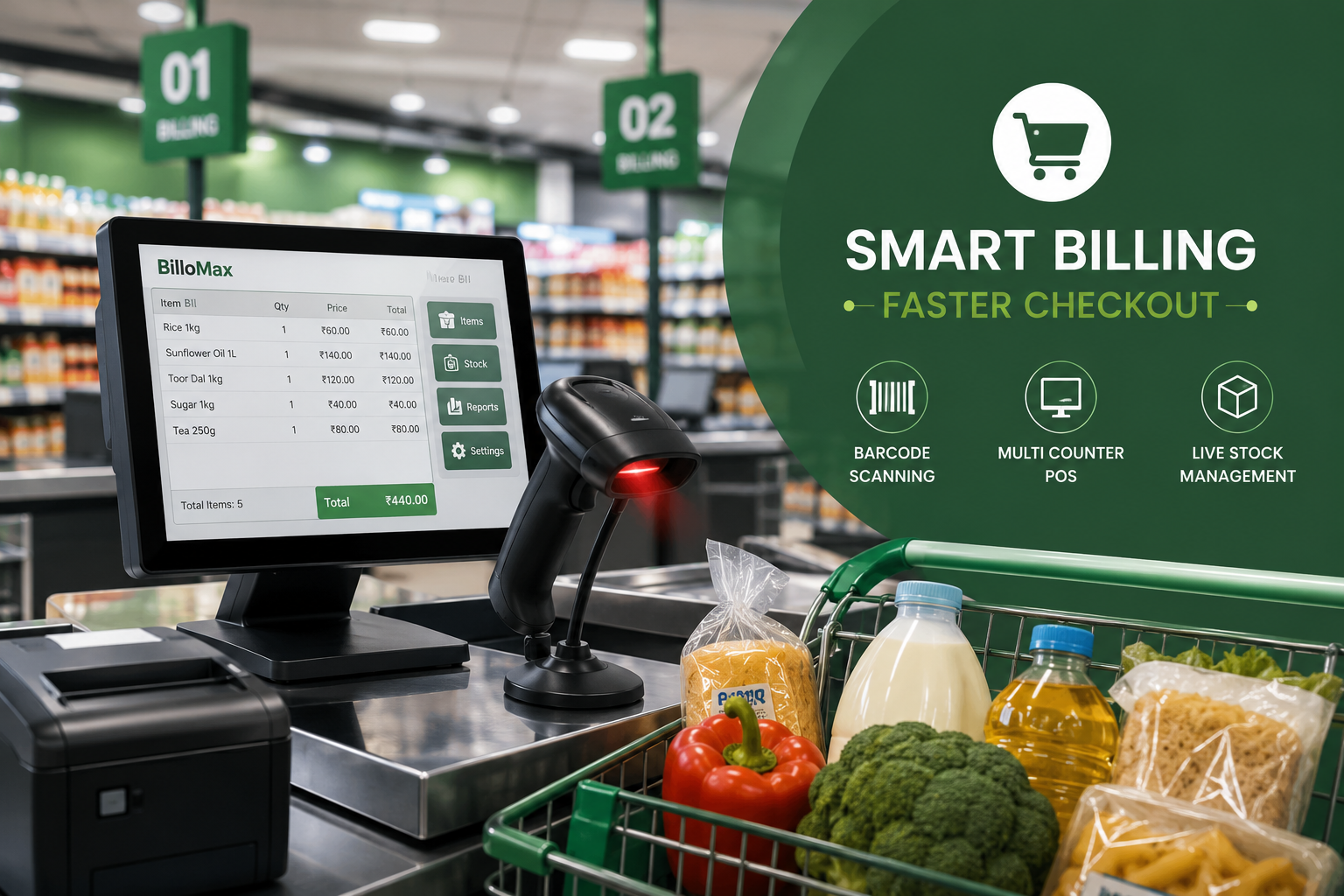
Supermarket Billing Software That Clears The Queue
Queues form at the counter, not in the aisles. A shopper who waits eleven minutes to pay remembers that longer than your pricing.
Supermarket billing software attacks the checkout bottleneck directly. It replaces typed codes with a scan, keeps every counter on the same stock figure, and hands you the day’s numbers.
At A Glance
• Barcode scanning removes the slowest step in manual billing
• Multi counter billing keeps every till on one live stock figure
• Weekly margin and dead stock reports beat daily sales totals
• Retail barcodes in India are issued by GS1 and begin with 890
• A ten-day switchover works without closing the store
What Does Supermarket Billing Software Do At The Counter?
Supermarket billing software scans an item, pulls its price and tax slab, adds it to the bill and reduces stock in one action. The cashier stops typing codes and stops checking price lists, which is where most queue time disappears.
• Weighed items priced by kilogram, with a scale linked to the till
• Multiple tax slabs on one bill
• Combo and BOGO offers applied automatically
• Loyalty points added and redeemed at the counter
• Held bills, so a shopper who forgot milk does not block the queue
A general retail tool and a supermarket POS system differ. Grocery needs weight pricing, batch expiry and mixed slabs on one bill, and most sit in the core feature set rather than as paid add-ons.
How Much Time Does Barcode Billing Actually Save?
Manual entry takes eight to twelve seconds per line once you count reading the code, typing it and checking the price. A scan takes under two. On a twenty-item basket, that is three to four minutes per customer.
A counter handling ninety baskets an evening recovers hours of till time, which is why barcode billing for retail stores pays for itself quickly.
Accuracy improves too. Typed codes cause wrong-item errors that surface later as stock variance, while a scanned code is either right or it does not scan.
• Every item needs a scannable code, including repacked goods
• Your item master must be clean, so one product is not listed three ways
How Do You Run Several Counters Without Splitting Your Stock?
Multi counter billing works when all tills read and write to one stock table rather than local copies. Counter two should see the last unit sold at counter one immediately, or you promise stock you no longer have.
Ask any vendor to show two tills selling the last unit of the same SKU at once. Supermarket billing software should also keep a counter billing if the server is briefly unreachable.
• Cash drawers reconciled per cashier, not per store
• Shift open and close balances, so a shortfall has an owner
• Discount limits by role, with manager approval
• A single price change that reaches every counter at once
For a chain, the same logic extends across branches through the inventory management module, so nobody sells at last month’s rate.
Where Do Retail Barcodes Come From, And Do You Need GS1?
Branded goods arrive with a manufacturer’s code already printed, and you simply scan it. Repacked or loose items need codes you generate and print yourself.
According to GS1 India, it is the only authorised body issuing barcodes beginning with 890, and those codes identify the brand owner rather than the shop.
You do not need GS1 membership to run a shop, only if you own a brand and want it listed by other retailers or marketplaces.
For everything packed in-store, supermarket billing software should generate an internal code and print a shelf label with item name, weight and price. Keep internal codes in a range that cannot collide with manufacturer codes.
Which Reports Should A Supermarket Owner Read Every Week?
Daily sales totals tell you little you did not already feel. The reports that change decisions compare movement against margin and time on the shelf.
|
Report |
What it answers |
Act on it by |
|
Category margin |
Which aisles earn, not just sell |
Reworking shelf space |
|
Slow-moving stock |
What has not sold in 60 days |
Discounting or delisting |
|
Stock-out log |
Which fast movers ran dry |
Fixing reorder levels |
|
Purchase price variance |
Where a supplier raised rates |
Renegotiating or switching |
|
Basket size by hour |
When shoppers buy big |
Staffing the right counters |
|
Cashier-wise voids |
Whether voids cluster on one till |
Reviewing that shift |
Set two or three to arrive by email every Monday, since most supermarket billing software can schedule them. Our guide to streamlining business operations covers reading them over time.
How Do You Switch From Manual Billing In Ten Days?
Most single-store supermarkets go live in ten working days without shutting for an hour. The work sits in data preparation, and supermarket billing software is only as good as the item list you feed it.
1. Days one and two. Build the item master: name, category, tax slab, purchase and selling rate.
2. Day three. Import opening stock by physical count, aisle by aisle, after closing.
3. Day four. Scan branded goods to attach real barcodes to your items.
4. Day five. Generate and print internal labels for loose and repacked goods.
5. Days six and seven. Configure counters, drawers, printers, roles and suppliers.
6. Day eight. Run one counter live while the others stay manual.
7. Days nine and ten. Move remaining counters, then reconcile against the physical count.
The parallel run on day eight is the step people skip, and the only cheap way to catch a wrong tax slab early. Check the plan pricing page for user and location limits per tier.
Frequently Asked Questions
Do I need a separate barcode printer?
Yes, if you sell loose or repacked goods. A basic thermal label printer handles shelf and product labels at modest cost.
Can supermarket billing software handle weighed items?
Yes. Supermarket billing software connects to a weighing scale so price is set by weight, and the scale label scans normally at the counter.
What happens when the internet goes down?
Ask each vendor directly. Good systems keep billing offline and sync afterwards, but some cloud-only tools stop taking transactions during an outage.
How do I handle expiry on grocery stock?
Enable batch tracking on perishables and set alert windows. The system flags items nearing expiry so you can discount them while they still sell.
Is a barcode scanner enough, or do I need a POS terminal?
A scanner on an existing computer works for one counter. Dedicated terminals make sense once you run three or more tills.
Can I use one system across multiple branches?
Yes. A cloud setup lets head office control prices and see stock across branches while each store bills independently.
Where Do You Go From Here?
Pick the one number that annoys you most, whether queue length, stock variance or unexplained margin loss, and make every demo answer for it.
The BilloMax retail and inventory platform handles multi-counter POS, barcode printing and live stock in one system. Our roundup of billing software for every business sets out how the modules connect.
Comments (0)
Be the first to share your thoughts on this post.